Three quick steps to finish your setup so you can ask your first question about your ads.
It’s hiding up on top of your browser, behind the puzzle icon.
Three steps, about a minute
Start at the top right of your browser, above this page.
1
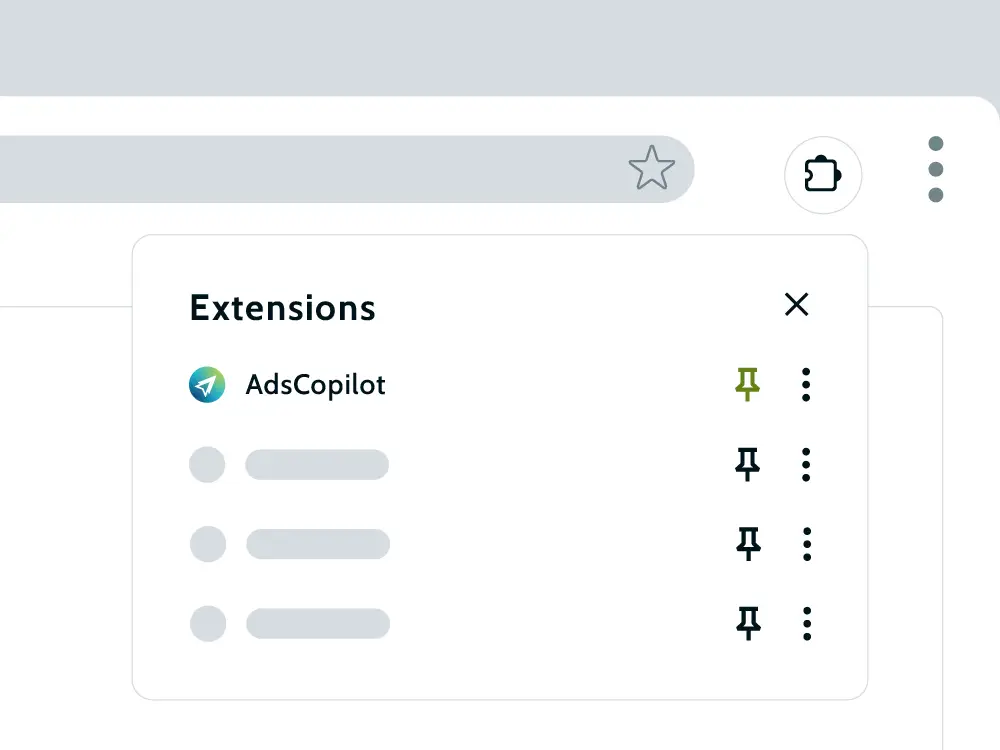
Pin it
Click the puzzle icon, then the pin
The puzzle icon is top right, next to your profile picture. Pinning moves AdsCopilot into your toolbar for good.
2
Open it
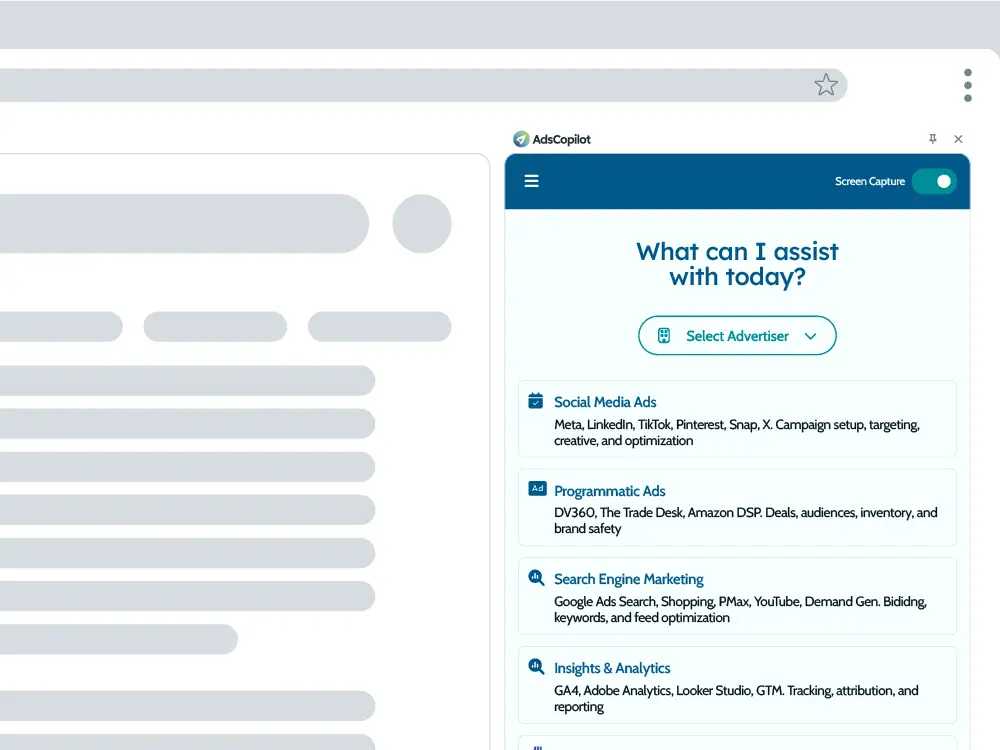
Click the AdsCopilot icon
It opens in a panel beside you and will always be there when you need a second pair of eyes.
3
Sign up
Continue with Google
One click with your Google account, or use an email address and password. Your account is how AdsCopilot remembers your clients and your history.
Then try this first
Open the panel, pick the area you are working in, and ask. It reads the screen you are already on, so you never have to explain the account.
Social Media Ads
Programmatic Ads
Search Engine Marketing
Insights and Analysis
Your first prompt
What are the biggest opportunities to improve performance here, and what would you do first?
4
When you are ready
Add a client and connect their accounts
Reading your screen is the fast version. Once you add a client and connect Google Ads or Meta, AdsCopilot can look at the whole account instead of the one report you have open, and it remembers that client every time you come back.
In the panel, open Select Advertiser, then Add New Advertiser. About a minute, and you only do it once per client.
Ready?
Have a look at the prompt guide for more ideas on putting AdsCopilot to work. Your new always on colleague, right there in your browser.